From sign-up to your first verified payment in an afternoon.
Four steps to start, a setup call with our team, and no paperwork or installation.
Create your group.
Sign up and choose cooperative or ikimina. Answer a few yes/no questions and e-Mali sets your first rules for you. It takes five steps, and you do not need any registration papers to start.
Bring your members.
Add members one by one, or upload our Excel template with your members, shares, savings and loans. Errors are shown row by row before anything is saved.
Invite your team.
Officers and staff get their sign-in details by email, and members can sign in by phone. Give each person a role that fits their job.
Record, approve, report.
Record payments with their proof and have a second person approve them. The books, statements and member balances update by themselves.
After setup. Your dashboard shows a setup checklist for anything left to finish, such as money accounts, loan settings and your logo. There is no rush: it waits until you are ready.
A day with e-Mali
- Morning
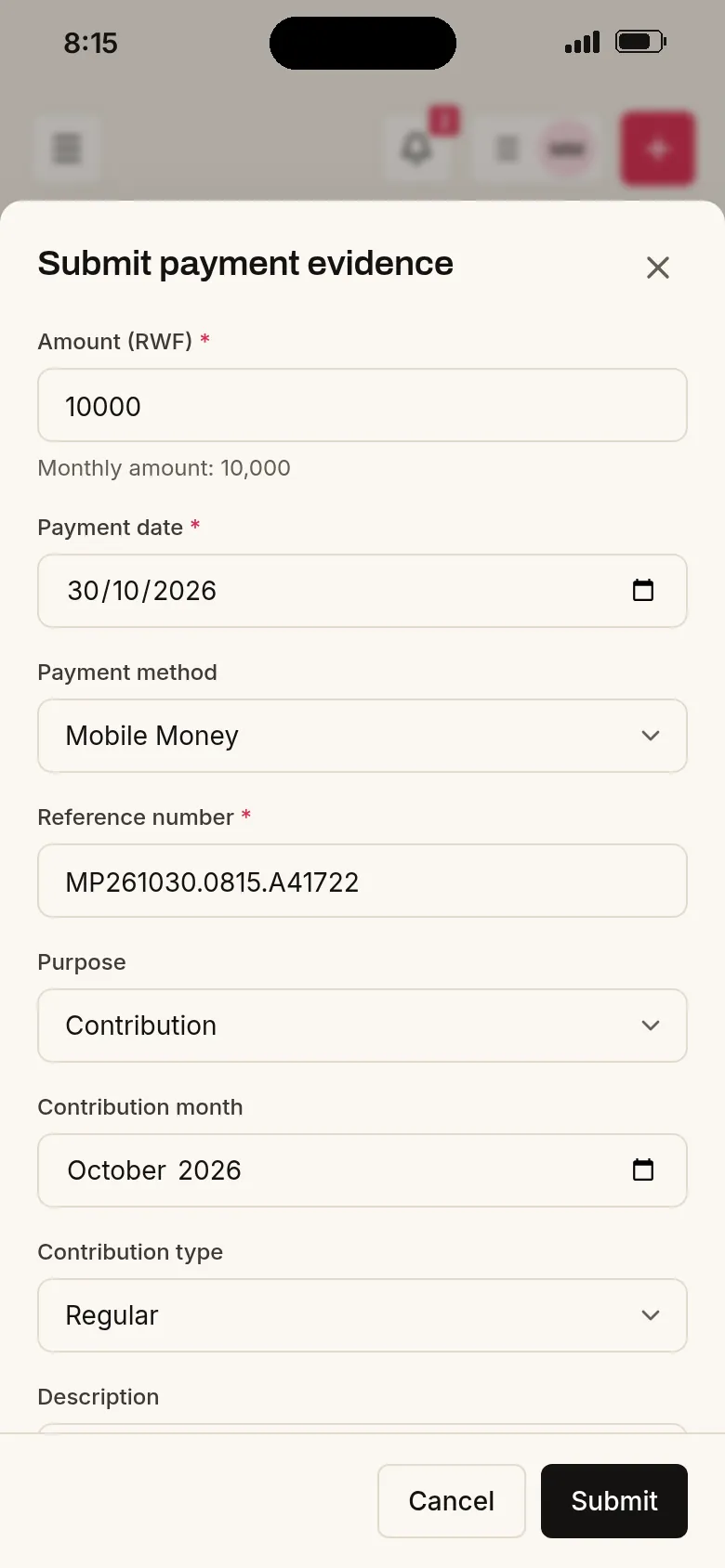
A member sends a MoMo contribution with a screenshot from the portal.
- Noon
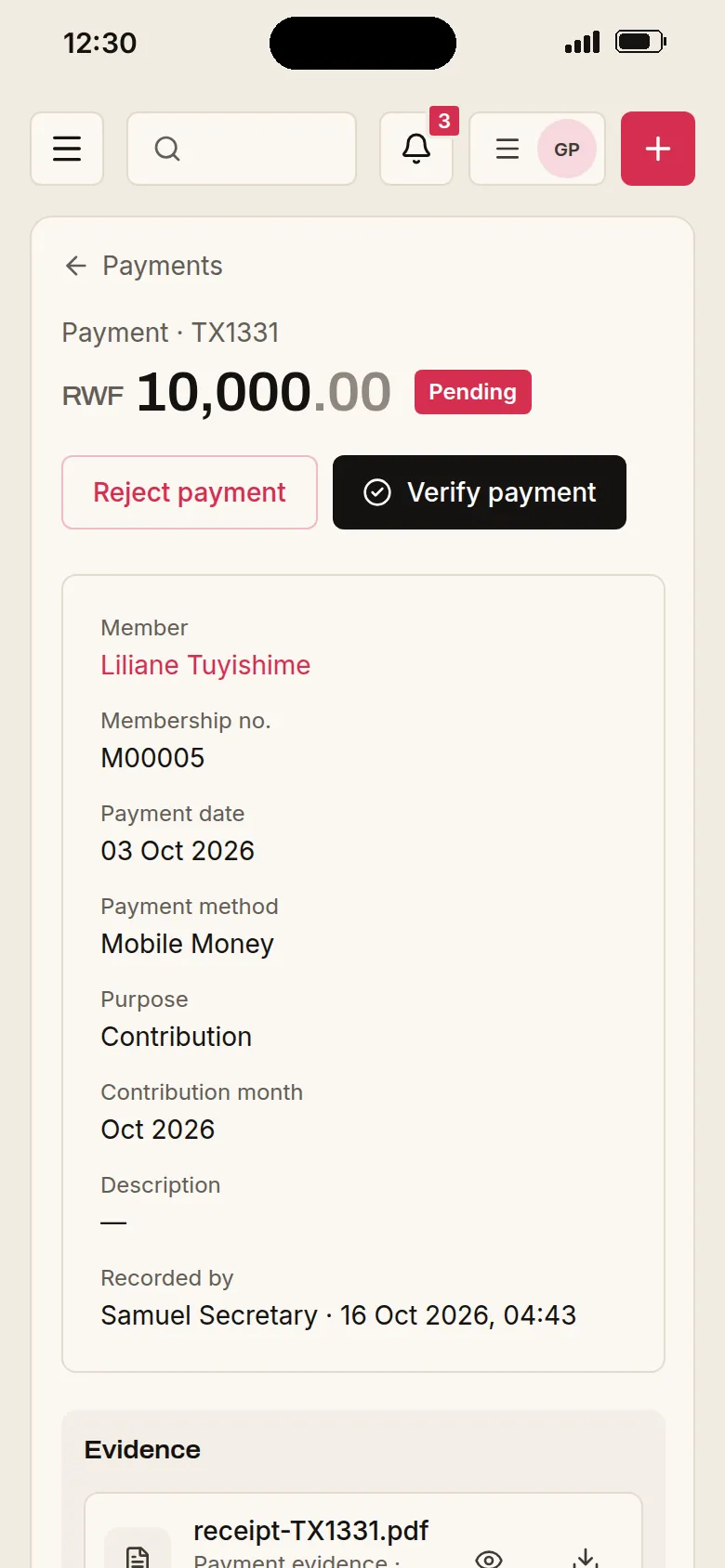
The treasurer checks the proof and approves it. The member's balance updates.
- Evening
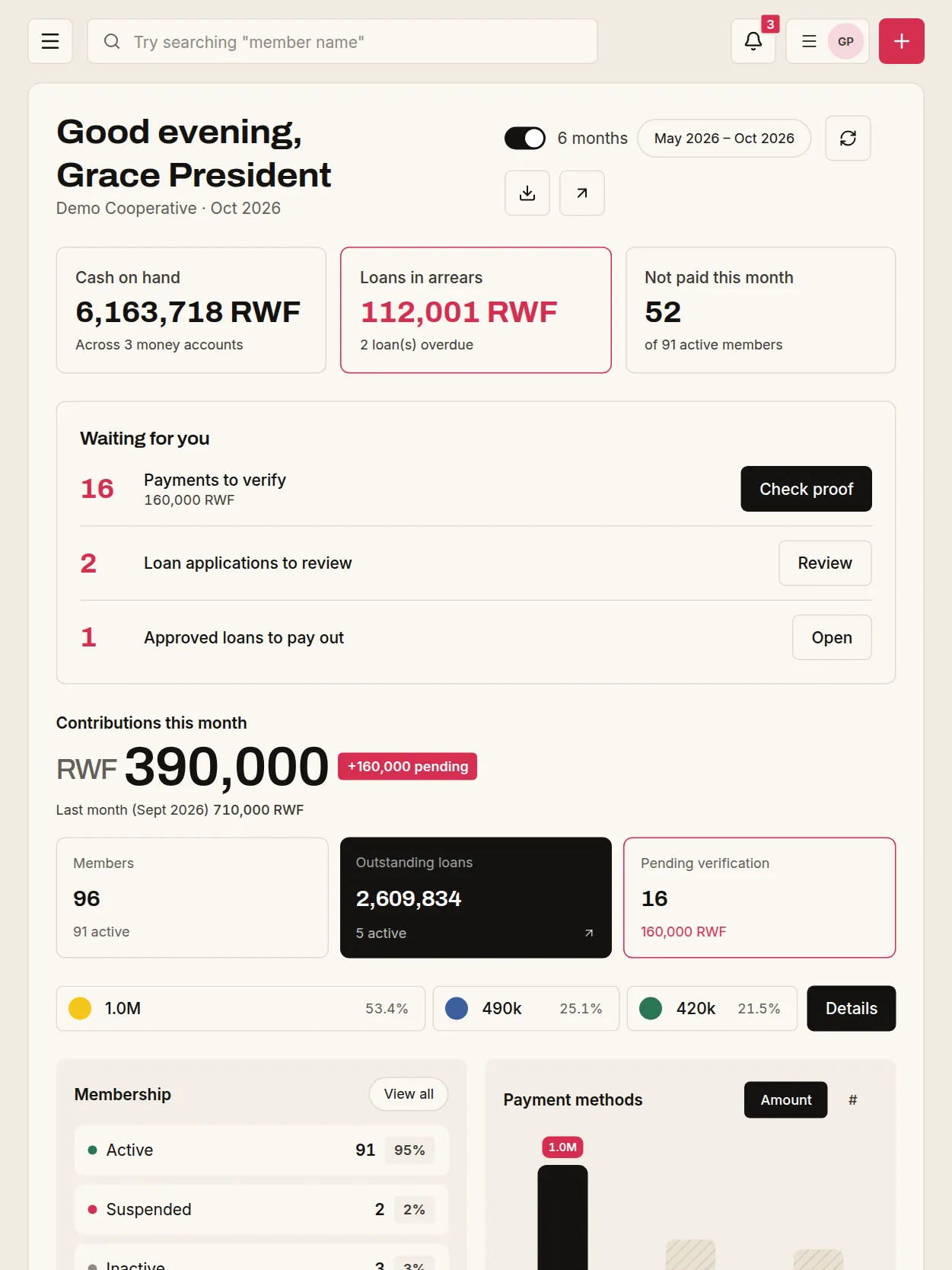
The president's dashboard shows the cash position, loans in arrears and the next deadline.
- Start today.
Sign up in five steps. No paperwork, no installation, no training.
- Registered or not.
A new ikimina can start before it registers with the Sector. Add the certificate later, if and when you get one.
- Only what you need.
e-Mali turns on the essentials for your group. Everything else stays out of the way until you want it.
- Compliance in the background.
e-Mali follows the rules for you and only tells you when something needs your attention.
If your group can keep a notebook, it can use e-Mali.
Every new group gets a setup call with our team. We will help you import your records and answer your questions in English or Kinyarwanda.
Questions groups ask us
Does our group need to be registered first?
No. Any cooperative or savings group can start right away. If you register later, your records will already be in order.
Do we need an accountant or training?
No. If you can record a payment in a notebook, you can record it in e-Mali. The books and reports are prepared for you.
Can we bring our existing records?
Yes. Fill in our Excel template and e-Mali checks every row before importing. We will help you do it.
Ready to see your group's money clearly?
Set up your cooperative or savings group (ikimina) today. We will help you import your records and get your team started.